Easy invoices for creatives and freelancers.
Everything you need to send a professional invoice. Nothing you don’t.
One payment. No subscription. Up to {max} devices.
We don’t store your invoices. We can’t.
Plain rules for using Summe. One payment, your data, your responsibility.
One-time payment · no subscription · up to {max} devices
Invoice template for illustrators.
Commissions, editorial, book covers or brand work: an invoice that shows what you drew and what the client can do with it.
Type what you did, pick a design and send a clean PDF. Summe does the maths, the numbering and the tax.
It works in your browser, on your phone and computer, even offline. Your invoices stay on your device, or in your own Google Drive with Pro.
- Free€0
Unlimited invoices. No account, no card.
- Pro PROOne payment
Every design, colour and language, quotes, reminders and sync. No subscription.
- One invoice01
- Four designs02
- Saved products03
- Quote → deposit → invoice04
- Taken care of05
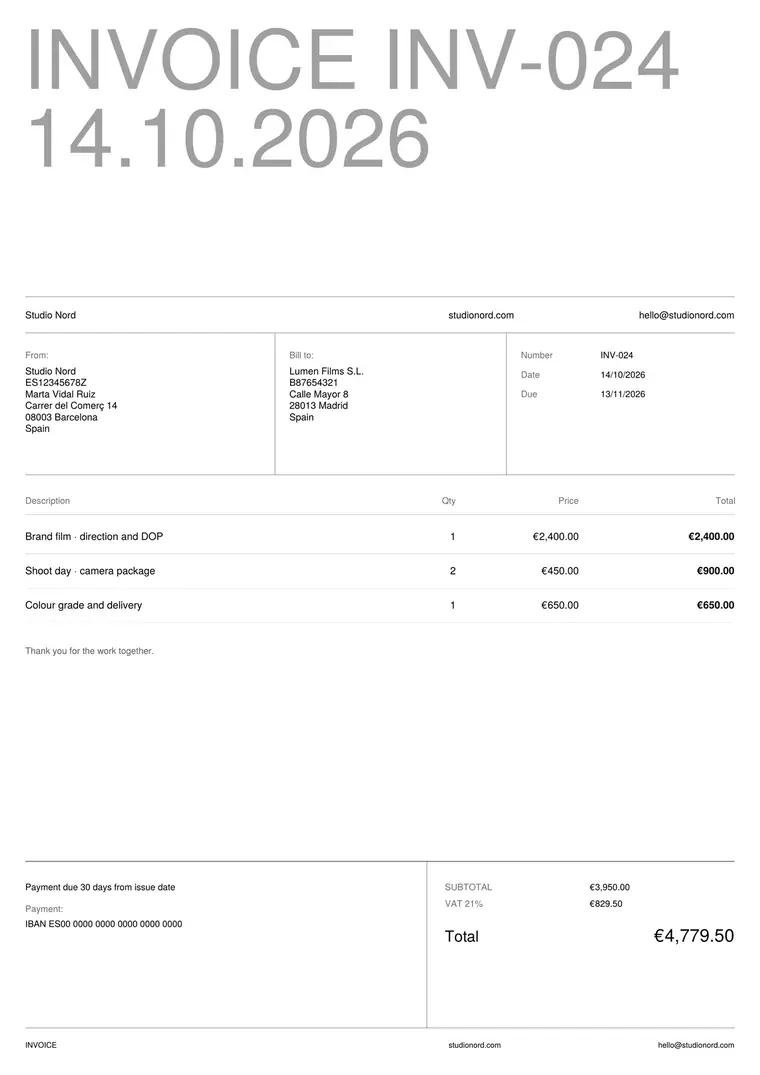
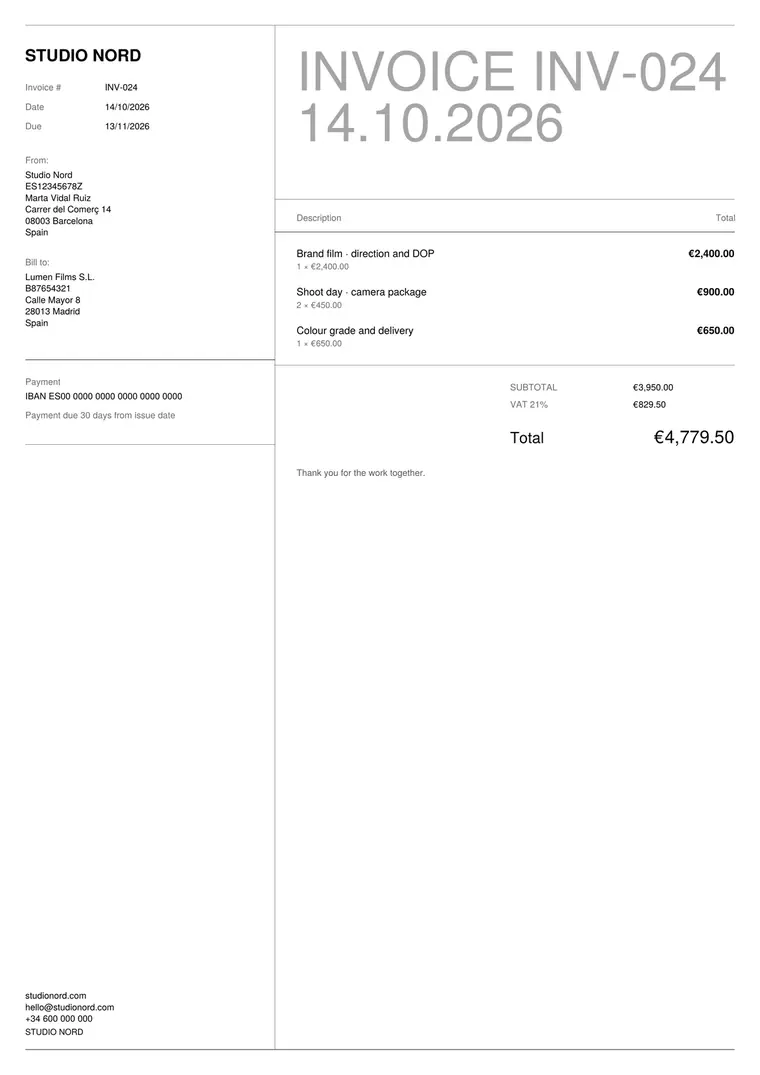
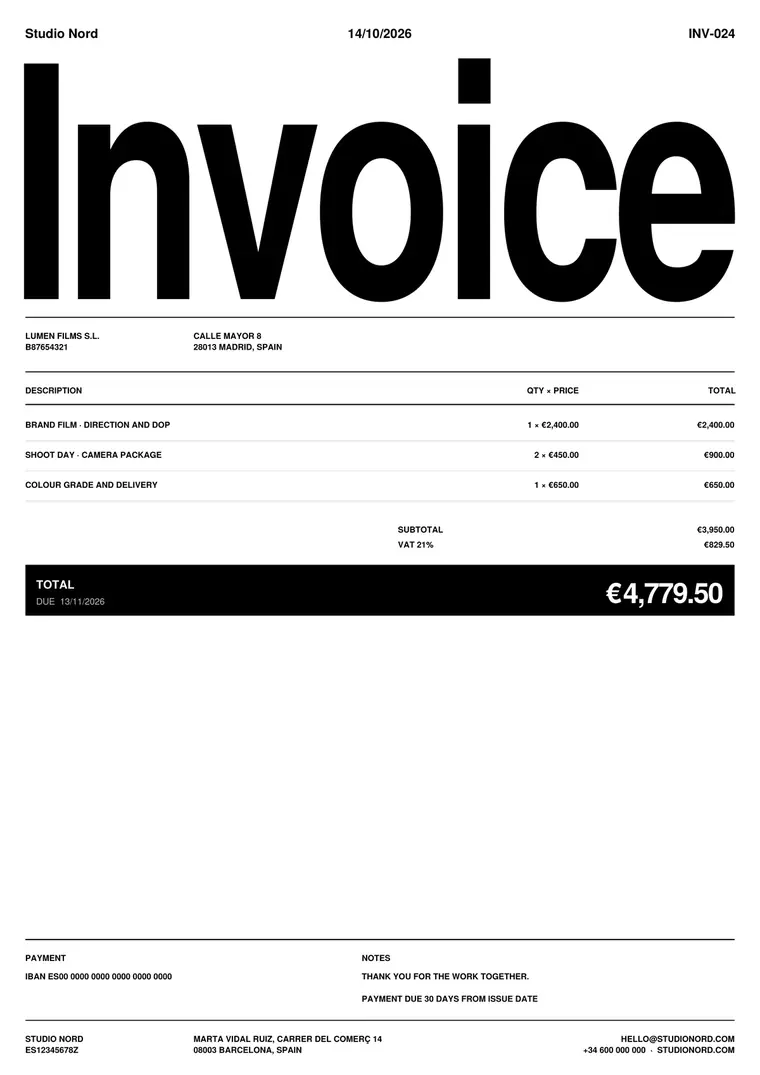
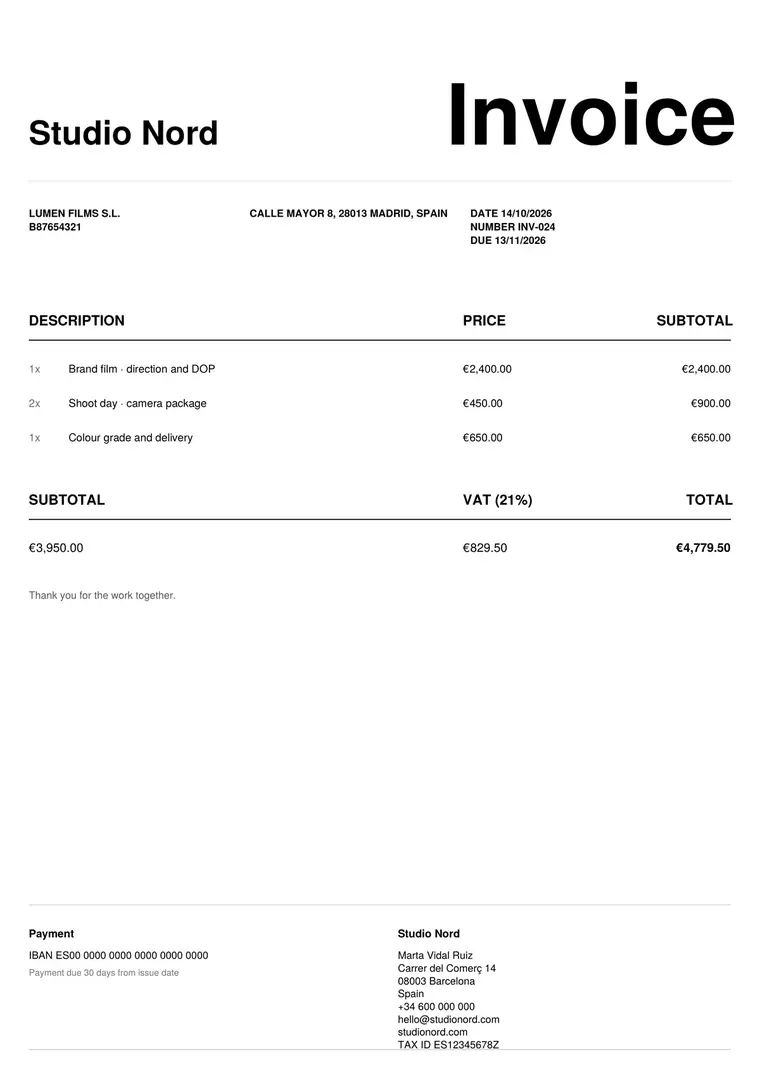
An example illustration invoice. Sketches, final art and the licence, each on its own line.
- Book cover · sketches and final art€1,200.00
- Spot illustrations · 6 × €120€720.00
- Licence · print and ebook, 5 years€600.00
- VAT 21%€529.20
Four designs, three papers, four colours. Grid in white and black is free; the rest comes with Pro.
Save what you sell. Add it to any invoice in one tap. With Summe Pro.
Ask for a deposit on commissions. Then invoice the balance with the final files. Same client, same lines, the next number.
- No invoice number
- No due date
- Usage not written down
- Unlimited revisions
- No way to pay
Summe takes care of it. Numbering, due dates, totals and tax on every invoice. Pay now links, reminders and saved products with Pro.
Between a blank document and a full accounting suite. Free for as long as you want. Pro is one payment, no subscription.
Everything an illustration invoice needs, and how to get it paid.
What to put on an illustration invoice
- Your details and your client’s: name, address, tax ID.
- Invoice number, issue date and due date, plus the client’s PO number if they use one.
- Each piece on its own line: cover, spot illustrations, character sheet, animation frames.
- The stage you’re invoicing: sketches, final art, or the whole commission.
- The licence: where the work can be used, for how long, and whether it’s exclusive.
- Revisions included, extras, tax, total and payment details.
Licensing and usage
In most commissions the client pays to use the illustration, not to own it. Writing the usage on the invoice (for example print and ebook, worldwide, 5 years) sets expectations and makes it easy to charge when they want more.
A full buyout, where the client can use the work anywhere and forever, is worth more than a limited licence. Price it separately so the client can see the difference. Agree the terms in your contract or quote first.
Per piece, day rate or project fee
Editorial and spot illustrations are usually priced per piece. Larger commissions such as covers, campaigns or brand work often use a project fee, split into sketches and final art.
Whichever you use, put the usage fee on its own line. It is the part clients most often ask about, and the part that changes from job to job.
Revisions and kill fees
Say how many rounds of revisions are included, usually two. Extra rounds go on a new line at a set price.
If a client cancels after the sketches, a kill fee (often 25–50%) pays for the work already done. Agree it in the quote, and invoice it like any other line.
Common mistakes
- One vague line such as “Illustration”. List each piece.
- No usage written down, so the client assumes they can use it anywhere.
- No due date. Write one (14 or 30 days) and the payment details.
- Starting final art before the sketches are approved and paid.
- Forgetting extra revisions you agreed to do.
Tips
- Quote first and keep the same lines on the invoice.
- Ask for a deposit before you start large commissions.
- Send the invoice with the final files, while the client is happy.
- Keep a list of your usual prices as saved products.
Questions
Should I put usage rights on the invoice?
Yes. A short line such as “Licence: print and ebook, worldwide, 5 years” sets expectations and makes it easier to charge for extra use later.
How do I charge for revisions?
Include a set number of rounds, usually two, and add extra rounds as a new line at a fixed price.
Can I turn a quote into an invoice?
Yes, with Summe Pro: the client, the lines and the totals carry over, and the invoice gets the next number.
Does it work for international clients?
Yes. Choose the currency and the PDF language (English, Spanish, French, German, Italian or Portuguese with Pro).
Can my client pay straight from the invoice?
Yes, with Pro. Paste your Stripe, PayPal or Wise link and it becomes a Pay now button on the PDF.
Is it free?
Yes. Free has unlimited invoices with no account and no card. Pro is one payment, no subscription, and adds the extra designs, quotes, deposits and reminders.
Summe is made by Studio Santé, a small creative studio. We built it because we wanted our invoices to look as considered as our work.
Features
08Beautiful PDF invoices
Four designs, six colours, six languages, your name or logo. Live preview while you type.
Quotes and recurring
Turn a quote into an invoice in one tap. Monthly clients get their invoice ready every month.
Know who owes you
Mark invoices as paid, see what’s outstanding and send a friendly reminder.
Pay now button
Your Stripe, PayPal or Wise link becomes a button on the PDF.
Products and clients
Save what you sell and who you sell it to, with each client’s currency and terms.
Ready for your accountant
Correct numbering, credit notes and a CSV export with every invoice.
Phone, computer, offline
Sync up to five devices through your own Google Drive. No account, and it works offline.
Private by design
Your invoices stay in your browser. No account, nothing stored on our side.
Pricing
One-time, no subscription- Unlimited invoices
- Grid design
- Saved clients
- Credit notes
- Share the PDF from your phone
- Backup to a file
- Small “Made with Summe” line on PDFs
- No watermark · 4 designs · 6 colours · 6 languages
- Quotes, deposits and final invoices
- Recurring invoices for monthly clients
- Paid, unpaid and payment reminders
- Saved products and a Pay now button
- CSV export and sync with your own Google Drive
All sales final · try everything free first.
Privacy
By designWe don’t store your invoices. We can’t.
Your invoices, clients and settings stay in your browser. If you turn on sync, they go straight to your own Google Drive, never through our servers.
No accounts, no cookies, no trackers. Download all your data whenever you want. Read the privacy policy · Terms of use.